Effortless Online Food Order System in PHP and MySQL Are you looking for an efficient Online Food Order System? Our Online Food Order System is a complete web-based software solution for food restaurants and businesses to manage online orders efficiently. What is the Online Food Order System? The Online Food Order System is designed to streamline restaurant operations, allowing businesses to manage orders, menus, and customers effortlessly. It features an...


Effortless Online Food Order System in PHP and MySQL
Are you looking for an efficient Online Food Order System? Our Online Food Order System is a complete web-based software solution for food restaurants and businesses to manage online orders efficiently.
The Online Food Order System is designed to streamline restaurant operations, allowing businesses to manage orders, menus, and customers effortlessly. It features an advanced Admin Panel that enables administrators to handle orders, products, and account settings smoothly.
With the Admin Panel, managing customer orders is easy:
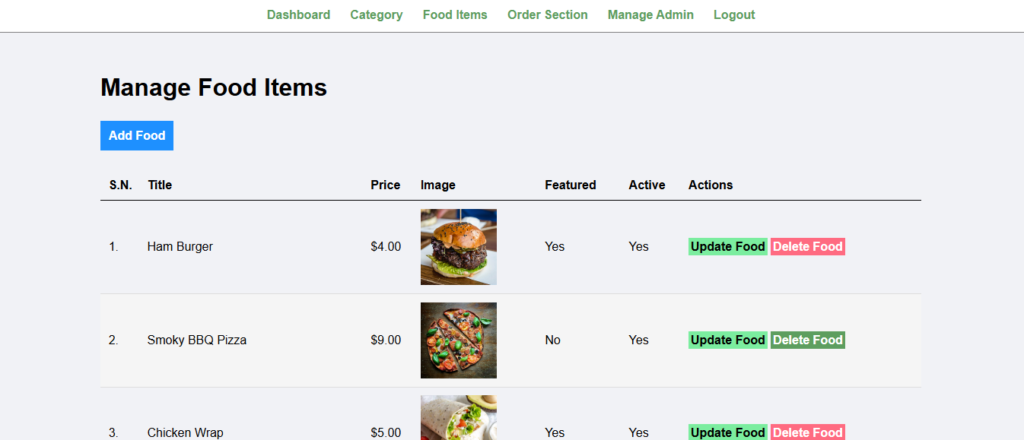
Effortlessly manage all menu items with the Product Management System:
Manage your credentials securely with Admin Account Management:
Login using secured credentials to access the dashboard.
Track, view, and update any pending or completed orders with ease.
Easily add new menu items or modify existing ones using the Product Management Dashboard.
Use the Admin Settings feature to manage passwords or update personal information.
The Online Food Order System is ideal for:
Downloading and implementing the Online Food Order System is quick and hassle-free.
🚀 Download the Online Food Order System Here Now! 🚀
For additional insights, visit TechRadar or PHP.net for PHP development resources.
xampp/htdocs/.http://localhost/phpmyadmin/.onlinefoodorder.onlinefoodorder.sql file from the DATABASE folder.http://localhost/onlinefood-order/foodorder/ in your browser to access the system.Now, revolutionize the way you handle orders and inventory with the most user-friendly Online Food Order System!
Works perfectly on all devices and screen sizes
Compatible with all modern browsers
Well-documented and easy to customize
Optimized for speed and performance
Easy to modify colors, fonts, and layouts
Dedicated support team ready to help
Click the download button to get the ZIP file. Extract it to a folder on your computer.
Go to your WordPress admin panel → Appearance → Themes → Add New → Upload Theme
Click activate and configure the settings according to your needs in the Customizer.
Your product is now ready! Start creating amazing content with your new tool.